iPhone 13iOS 17Online
10:09
84%Devices
MailCalendarPhotosCameraChatsMapsAppsSettingsBrowserFilesVideoMusic
‹○⌁86%
Android + iPhone. One interface. One system. Create → Manage → Test → Analyze → Automate → Scale
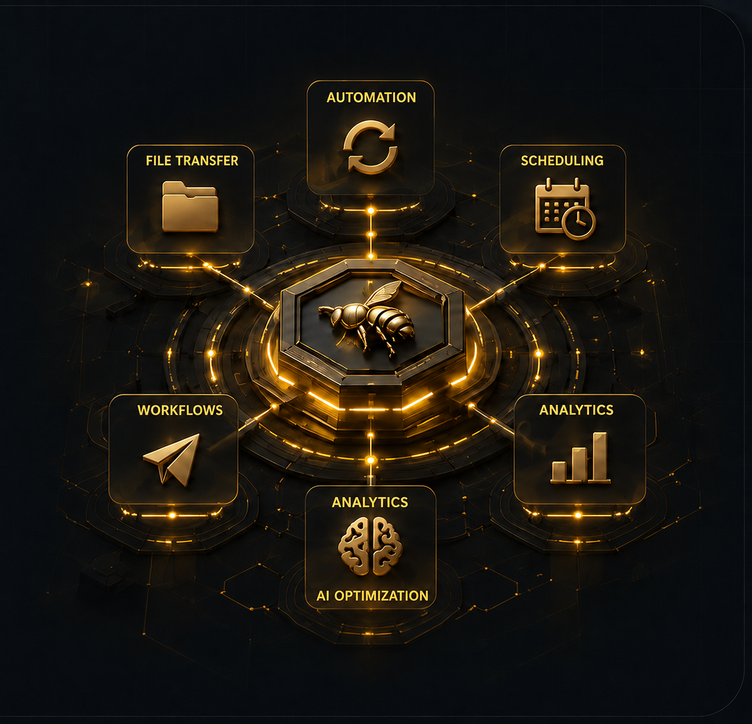
MediaRoy brings Android and iPhone into one workspace and helps organize a larger number of physical mobile devices. The infrastructure gradually connects devices, content, publishing, testing, analytics, automation, and scale.
There is no need to build two completely separate workflows for mobile ecosystems. MediaRoy is evolving as one workspace for Android and iPhone.
Content Lab helps test different ideas, creative assets, video openings, and formats in parallel. The goal is a system of continual testing, not guessing one winner in advance.
Content Lab →MediaRoy combines manual device management and automation of repeat work while a person stays in control.
MediaRoy automation →ARZh AI is developing as MediaRoy’s specialized intelligence layer. Its goal is to gradually connect idea discovery, materials, publishing, analytics, and improvement of subsequent results.
Explore ARZh AI →Core operations live in one workspace, from connecting devices to coordinating actions.
The architecture is built for large fleets; actual capacity depends on your hardware and operating environment.
Coordinate repeated actions across selected smartphones at the same time.
Move photos, videos, and documents from your computer by dragging and dropping them.
Organize accounts and devices by task: news, stores, projects, and other work categories.
Connect supported devices on both platforms and manage them from one interface.
Keep your fleet organized as device counts and operating workflows grow.
MediaRoy gives teams a clear operating flow and keeps the fleet organized as it grows.

Groups, connected devices, and core operations live in one workspace, helping teams stay oriented across a large smartphone fleet.
System telemetry
Android + iPhone
OnlineData is protected and transferred in real time
From daily operations to complex project structures, MediaRoy keeps devices and accounts organized.
Centralized organization for large mixed fleets and everyday operations.
Group devices and accounts by desk, topic, and editorial workflow.
Organize mobile touchpoints by project and content stream.
Separate devices by storefront, project, and task.
One workspace for multiple mobile points of presence.
Manual control and automation are available now. We show the next directions for product development.
Centralized Android and iPhone management, groups, synchronization, and file transfer are available now.
Automation workflows are available for Android and iPhone.
The feature set and release timing have not been announced.
The app is available now. Download the stable release for your system and get started right away.
Published MediaRoy installer for Windows.
Published MediaRoy installer for macOS.
One license counts the total number of Android and iPhone devices in your operating infrastructure.
One app for your smartphones: manual control of Android and iPhone is available now.
The number of devices operating simultaneously depends on your computer and equipment.
Android and iPhone slots in one license.
Buy planAndroid and iPhone slots in one license.
Buy planAndroid and iPhone slots in one license.
Buy planAndroid and iPhone slots in one license.
Buy planAndroid and iPhone slots in one license.
Buy planAndroid and iPhone slots in one license.
Buy planThe plan does not impose a license-level device limit. The actual number of simultaneously connected devices depends on the hardware and configuration of the host computer.
1 device slot = 1 Android or 1 iPhone. For example: 5 Android + 5 iPhone = 10 devices = $39 / 30 days.
Android and iPhone are counted in one license.
Choose the number of slots for your current infrastructure.
Automation and downloads have separate public statuses.
Use the official MediaRoy Telegram for questions.
Support is available exclusively through Telegram.
Open Telegram and send us a message saying “hello”.
An administrator will reply after that.
Always verify the official address before you chat.
MediaRoy’s only official support contact.
Open Telegram@mediaroy_admin